


Time:2026-10-13
Views:52
Board-level connections
Pin headers, box headers and board-to-board stacks are the parts you solder once and build around. The decisions here are pitch, row count, stack height and whether the board goes through reflow. Shrouded versions cost a little more but remove the reversed-plug risk on a ribbon, while bare strips stay the cheapest way to bring signals out for debugging.
If you‘ve ever stared at a parts catalogue and wondered why there are so many ways to join two wires together, this one‘s for you. Connectors are basically split into a few families, and once you know the families, the catalogue stops being scary.
Pin headers and box headers The bread-and-butter of electronics. A pin header is a bare row of pins you solder to a board; a box header is the same thing inside a shroud so it can‘t be plugged in wrong. These are the 2.54mm parts on Arduino shields and ribbon cables.
D-Sub The D-shaped metal shell that‘s been around forever. DB9 for serial, DB15 for VGA, DB25 for parallel. Rugged, cheap, and still everywhere in industrial gear.
Wire-to-board (JST-style) Small white connectors like JST XH, PH and VH. They join a wire harness to a PCB. The pitch — 2.0mm, 2.5mm, 3.96mm — tells you which one you‘re holding.
Terminal blocks For permanent wiring. Strip the wire, shove it in, tighten a screw. Control panels and building wiring run on these.
Circular connectors The round, usually waterproof ones — M12, M8, and the like. Industrial sensors and outdoor equipment love them because they seal and they lock. RF connectors SMA, BNC and friends, for coax and antennas. Threaded for permanent links, bayonet for things you unplug constantly.
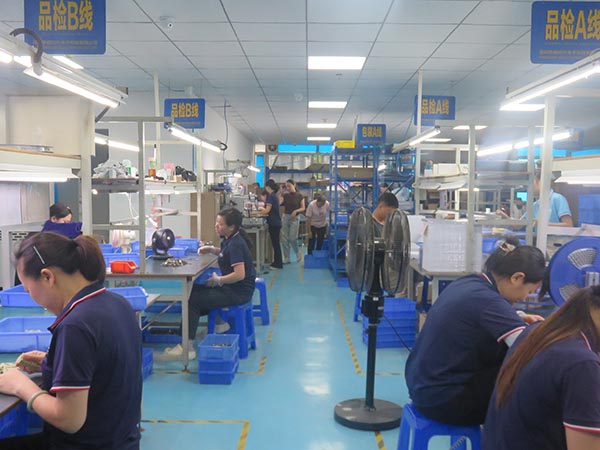
The photograph shows a corner of our production workshop.
Which one do you need? Start with three questions: what‘s the current, what‘s the space, and is it permanent or removable? Answer those and the connector family basically picks itself. And if you‘re still stuck, send us a photo of what you‘re replacing — that works surprisingly often.
Wire-to-board and wire-to-wire
JST-style crimp housings, IDC sockets and cable assemblies cover the run from a PCB out to a harness. Here the wire gauge and the locking latch matter as much as the pitch. If the harness is assembled off-site, send the mating part number with the drawing so the terminal and the housing are specified as a pair, not as two independent choices.
Furthermore, Most of the metal in all connectors is copper, and the surface finish will vary depending on your specific application.
Typically, The contact materials used in all connectors are predominantly copper, and the surface finishes may vary depending on your specific application. Typically, we offer a range of surface finishes, including gold-plated, silver-plated, tin-plated and nickel-plated, and the thickness of the plating may also vary. As the choice of material can result in significant price differences, the final specifications should be determined based on the actual application when selecting a connector.
We offer bespoke services, so please do get in touch if you’re interested.
Panel and field wiring
Terminal blocks, circular connectors and D-Sub shells live at the enclosure boundary, where somebody is working with a screwdriver or a gloved hand. Sealing, mounting hardware and strain relief move up the priority list. A part that looks identical in a catalogue can need a different panel cutout, so the mechanical drawing is worth asking for early.
Frequently Asked Questions
What are the main connector families?
Pin and box headers, D-Sub, wire-to-board (JST-style), terminal blocks, circular, and RF. Each fits a different job, from board stacking to outdoor sensors.
How do I choose a connector?
Answer three questions: what current, what space, and is the connection permanent or removable. Those usually point to the right family.
Can you help if I am not sure which one I need?
Yes - send a photo of what you are replacing or the mating part, and we will identify it and quote a compatible option.
 008613534059456
 whatsapp:joy
 overseas@hongyian.cn
